
To find ecommerce clients for your agency, catch online stores at the point they need help most: the first weeks after launch, when the owner has paid for stock and a theme and is waiting for sales that haven't come yet. You find those stores in the public certificate logs, in platform footprints on Google, in ad libraries and in founder communities. Then you check each one is real and write to the founder at an address that works.
Timing does most of the work. A store that has traded for five years usually has an agency, a freelancer or an in-house marketer already, and your email is one more pitch in a full inbox. A store in its first month has none of that. The founder reads every message, still has some launch budget set aside, and is starting to wonder why the traffic is so thin.
Why are brand new stores the easiest ecommerce clients to win?
Going live is the easy part now. Shopify, WooCommerce, Wix and Squarespace let one person open a store over a weekend. What they don't do is the work around the products: the snippet Google shows, the image that appears when someone shares the link, the product details search engines can read, the speed on a phone over mobile data.
So the first month tends to follow a pattern. The owner posts the link, friends and family visit, a couple of orders come in, and then it goes quiet. That's when the owner starts looking for help, often by searching or by asking in a founder group. The agency that turns up with one specific fix usually gets the reply.
For an agency, a first-month store is also the start of a longer relationship. A store that grows needs ads, email, new collections, seasonal campaigns and faster pages, month after month. A small first job works as an audition for that retainer.
| Your agency sells | What a young store needs | When it becomes urgent |
|---|---|---|
| Store builds and theme work | Mobile layout, page speed, product page structure | When visits arrive and carts stay empty |
| SEO | Page titles, meta descriptions, product structured data | When Google starts indexing product pages |
| Paid social and search ads | Fast landing pages, a clean link preview | The day they boost their first post |
| Email and retention | A welcome series, follow-ups for abandoned carts | After the first orders, when repeat buyers start to matter |
| Content and product copy | Product descriptions, image alt text, an about page | Before the ads start, when the pages read thin |
Where do agencies find ecommerce clients that are ready to buy?
There is no single list of online stores that want an agency. Each source below catches stores at a different stage, so pick the ones that match what you sell.
Certificate logs, for stores in their first days
Every site served over HTTPS needs a certificate, and the certificate authorities that browsers trust publish each certificate they issue to public logs. The system is called Certificate Transparency, and a store on its own domain usually appears in those logs within hours of getting its certificate, often before its first sale.
You can search the logs for free on crt.sh. Search for a niche word with wildcards, such as %candles%, and look at the most recent dates in the results. Busy words can time out, so try a narrower one if that happens. The catch is noise: most entries are subdomains, staging sites, mail servers and parked domains. Expect to open dozens of results to find a handful of real stores, and there is no date filter for when a site actually started selling.
Platform footprints on Google
Store platforms leave traces you can search. A search for the phrase "powered by Shopify" plus a product word, or inurl:/collections/ plus a product word, turns up Shopify stores, and WooCommerce stores often keep the default inurl:product-category or inurl:/product/ paths, so those plus a niche word work too.
What you lose here is freshness. Google only shows what it has already indexed, so most results are months or years old. Google's Tools menu can limit results to the past month, but that date shows when Google last saw a page, not when the store opened. This source suits SEO and redesign pitches to stores that have been around a while.
Ad libraries, for stores already spending
Meta's Ad Library is public and searchable by keyword, and each ad shows the date it started running. A store running ads has a budget and has already decided marketing is worth paying for, which makes it a strong prospect for ads, landing page and conversion work.
You won't be the only one pitching them, though. Stores that run ads are further along, and many already work with someone. If the ads look professionally made and have run for months, move on.
Marketplace sellers opening their own store
Sellers on Etsy and similar marketplaces often open their own site once they have steady sales. They announce it in shop announcements and social bios, and many Amazon sellers do the same on Instagram or TikTok. These are good clients: proven products, real photos, real buyers, and a brand new site with nothing set up around it.
Nobody publishes a feed of these launches, so you find them by slowly working through shops and social profiles yourself.
Founder communities
Store owners ask for help in public: r/shopify, r/ecommerce, the Shopify Community forums and Facebook groups for store owners are full of review-my-store threads. Most of these groups ban direct pitching, so answer the question in the thread with one useful fix and let the owner message you.
This is slow. Community work builds a reputation over several weeks, and it won't fill your calendar by Friday.
Partner directories and referrals
Shopify runs a partner directory where merchants look for agencies to hire, and other platforms have similar lists. Check each one's current requirements before you apply. Referrals work too: product photographers, packaging designers and fulfilment companies all meet new stores early and rarely sell what you sell.
Directories and referral partners can take months to pay off, but the clients they send already want to hire someone.
| Source | Stage of the store | Cost | Effort | Best for |
|---|---|---|---|---|
| Certificate logs | First days | Free | High, mostly noise | Design, SEO, copy |
| Google footprints | Months to years | Free | Medium | SEO, redesigns |
| Ad libraries | Already spending | Free | Medium | Ads, conversion work |
| Marketplace sellers | New site, proven products | Free | High | Builds, email |
| Founder communities | Asking for help right now | Free | Slow and ongoing | Any service |
| Directories and referrals | Ready to hire | Your time | Slow to start | Retainers |
How do you vet an ecommerce prospect before you pitch it?
Before you write a word, spend five minutes on four checks. They save you from pitching a store that closed, never opened, or was never a business.
- Domain age at the registry. Look the domain up with an RDAP or WHOIS search, such as ICANN's lookup tool, and note the creation date. A domain registered this month is a good sign, but an old domain can carry a brand new store, so don't stop here.
- First certificate in the logs. Search the exact domain on crt.sh and scroll to the earliest entry. A first certificate this week plus a recent registration date means a new site.
- It loads and it sells. Open it on your phone. You want products with prices and a cart that works, not a password page or a coming soon notice. Shopify stores show a password page until the owner opens them to the public.
- A real business behind it. Look for an about page, a named founder, original photos, contact details and social accounts that exist. A store with thousands of random products, stock photos and no about page is usually a throwaway, and its owner rarely wants more than the cheapest fix.
| What you see | What it likely means | Pitch or skip |
|---|---|---|
| Domain registered this month, first certificate this week, products live | A real launch | Pitch now |
| Domain from 2015, first certificate this week | An old domain with a new store, or a rebuild | Pitch, and ask what changed |
| Password page or coming soon notice | Not open yet | Save it and check again next week |
| Thousands of products, stock photos, no about page | A throwaway store | Skip |
| Parked page or a domain for sale notice | Not a business | Skip |
Which store problems turn into an agency retainer?
Open with a problem the founder can check in a minute on their own homepage. These are the ones that are easy to see and easy to explain:
| What the homepage is missing | What it costs the store | Who sells the fix |
|---|---|---|
| No meta description | Google writes its own snippet from page text, often a menu or a cookie notice, so the result looks careless | SEO |
| No structured data | Google can't read product, price or brand as data, so the store's results can't show rich product details | SEO, development |
| No social preview image | A shared link shows up blank or with a random image, and people scroll past it | Social, ads |
| No favicon | A blank icon in browser tabs and some search results, which looks unfinished | Design |
| Images with no alt text | Screen readers can't describe the products and image search has nothing to go on | Content, SEO, accessibility |
| Old copyright year | A footer that says 2022 on a store that opened this month, usually the theme default, which makes it look abandoned | Design |
| Pages loading over plain http | Browsers flag the page as not secure, which is the last thing a buyer wants to see before checkout | Development |
| Slow on mobile | A lot of store traffic comes from phones, and a slow page loses visitors before the products appear | Development, conversion work |
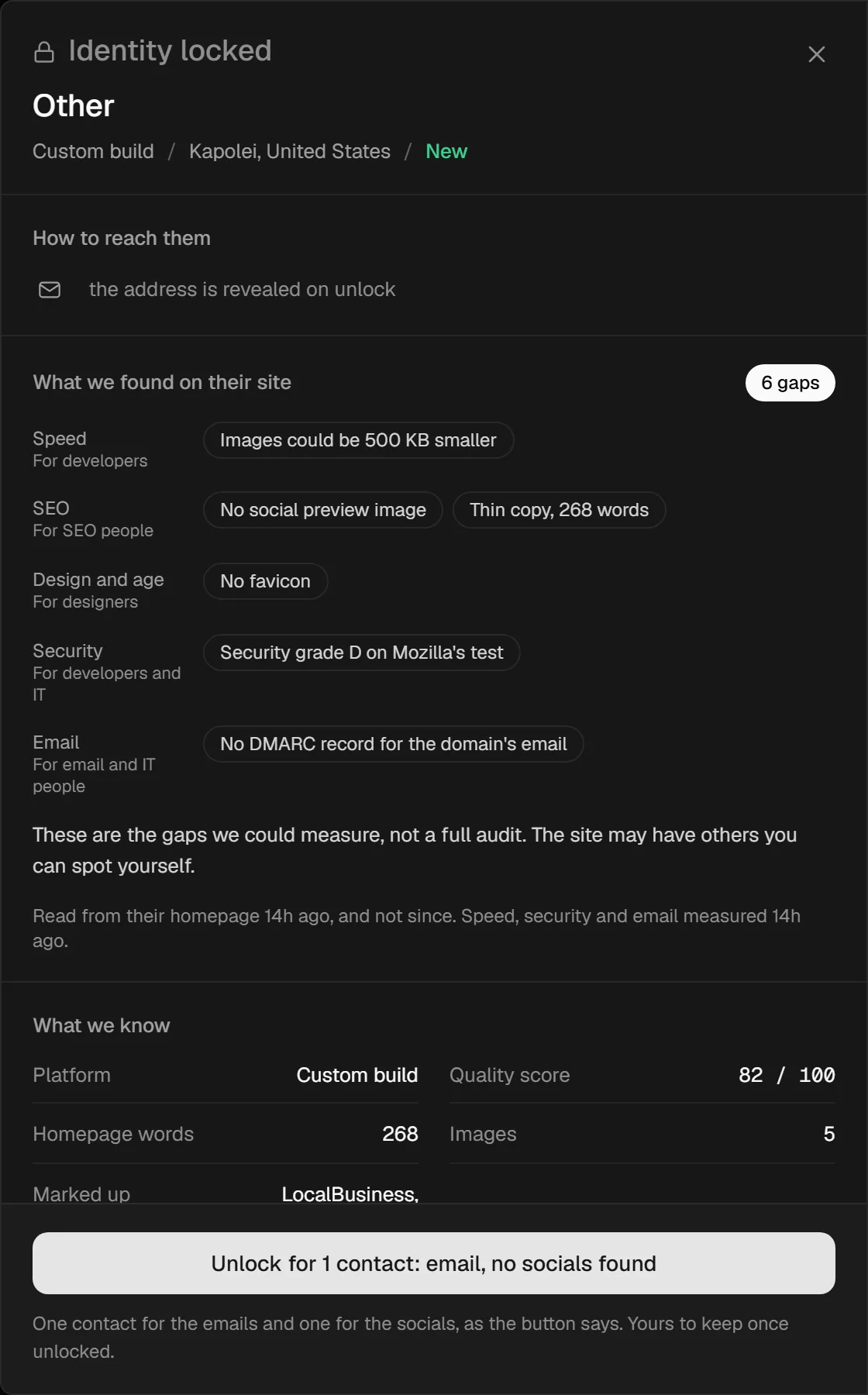
The gap gets you a reply, and what you do after it decides whether you end up with a retainer. Keep the first job small, fixed in price and quick: fix three or four of these problems in a few days, then send a before and after the founder can see, such as the old and new search snippet or the old and new share preview on WhatsApp.
Then suggest month two. Once the basics work, the store needs traffic, and you are already the person who knows its setup. A simple ladder looks like this:
- In week one, a fixed-price launch fix covering three or four gaps, done fast.
- In month one, one project tied to sales, such as rewriting the best-selling product pages or setting up the first ad campaign.
- From month two, a monthly retainer for the work that repeats, like ads, SEO, email or new collection launches.
Where do you find an ecommerce founder's email that won't bounce?
Most stores list a support address or a contact form. In the first month the founder often reads those too, but a message to their own address gets read sooner and taken more seriously.
Places to look, in order:
- The about page, which often names the founder and sometimes gives a direct email.
- The footer and the store's legal pages. A privacy policy or refund policy often includes a contact email.
- The founder's social bios, especially Instagram and LinkedIn. If the founder is active on Instagram, a short DM naming the same gap often gets read before an email does.
- The domain's registration record, though most are hidden behind privacy services now.
If you find nothing, it's tempting to guess firstname@ the domain. Be careful. Every bounce counts against the domain you send from, and a cold email domain that racks up bounces starts landing in spam for everyone you write to.
| Guessed address | Verified address | |
|---|---|---|
| How you got it | A pattern, like firstname@store.com | Checked with the store's own mail server |
| Risk | Bounces, which hurt your sender reputation | Low, the mailbox exists |
| Who reads it | Maybe nobody | The person it belongs to |
To check an address by hand, first look up the domain's MX records (nslookup -type=mx store.com in a terminal) to confirm it receives mail at all. Then run the address through a free email verification tool, which asks the mail server whether that mailbox exists without sending anything. Some servers accept every address, known as catch-all, and for those no check can tell you for sure. For a fuller walk-through, see our page on verified email leads.
Here is a first email built on one gap:
Subject: your store's Google snippet
Hi Maya,
I saw your candle store went live this month. Congratulations on the launch, the product photos are lovely.
Two things I noticed on the homepage. Google has no description to show for it, so it pulls text from your menu instead. And when someone shares your link on WhatsApp or Facebook, there is no preview image, so it shows up blank.
Both are quick fixes. I can do them this week for a fixed price and send you a before and after so you can see the difference.
Want me to send the details?
[Your name], [Your agency]
If there's no reply after four or five days, send one short follow-up that leads with a different gap. Our guide on how to follow up with a new business lead covers the timing and wording.
Is there a tool that finds new ecommerce clients for you?
The checks above are what eat the hours. Searching the logs, opening sites, ruling out parked pages, finding an email and testing it can take ten minutes a store, and most of what you open turns out to be noise.
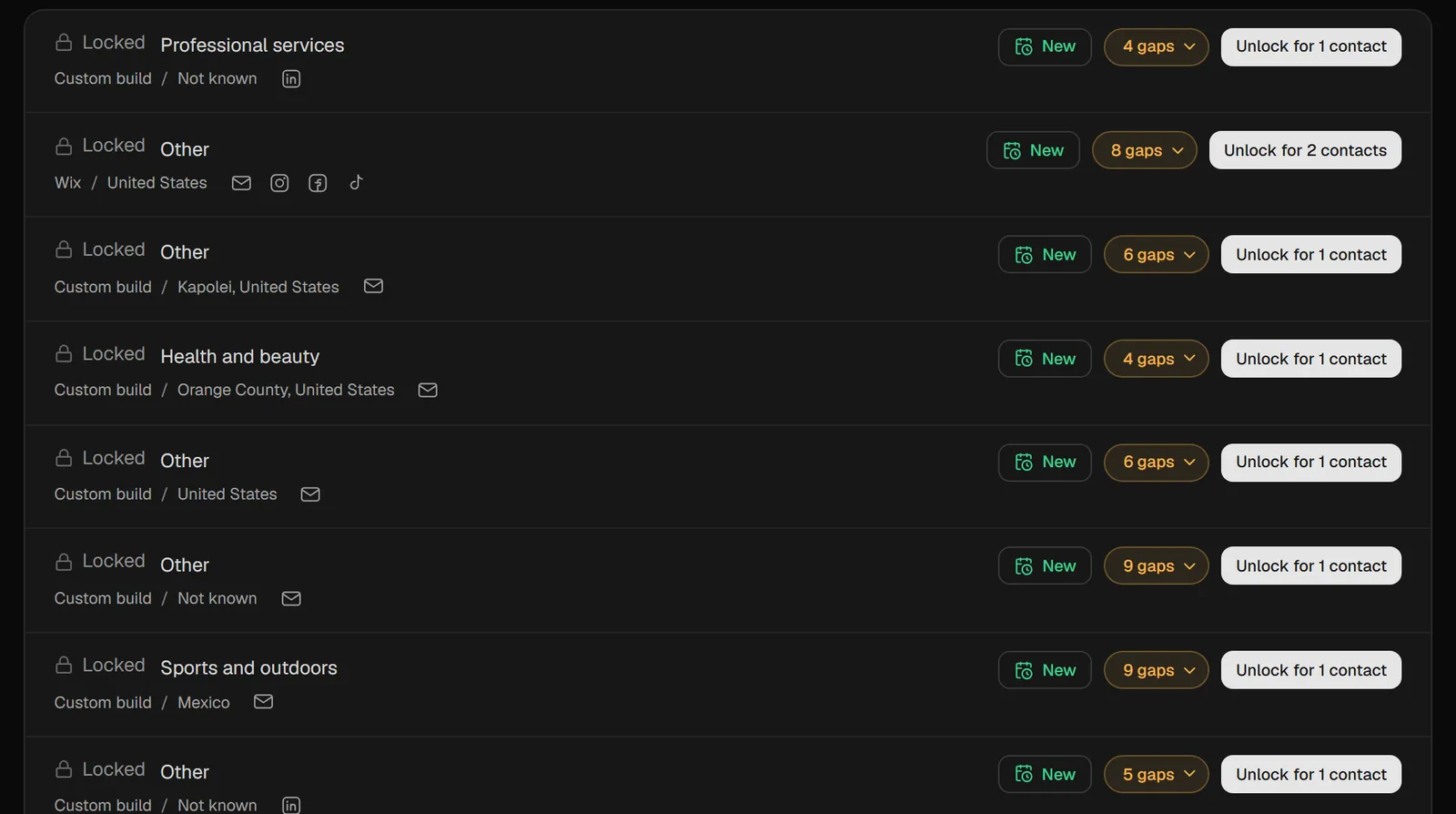
Vetted Leads does that part. It reads the certificate logs, visits each new site, checks it is a real business, lists what its homepage is missing, verifies the email with the business's own mail server, and puts the lead in a feed the day the site goes live. On 27 November 2026 we checked 404,387 sites, and in the 24 hours to 28 November, 1,753 new businesses reached the feed. Some of them are not stores, and all of them passed the same checks. You can start free with the newest 50 leads each day and 3 contacts to unlock once, no card. If stores are your main market, our page on finding Shopify clients shows how it works for store leads.
What should you do this week to land your first ecommerce client?
Pick one niche and one source from the list above. Find ten stores, run the four checks on each, and write every survivor one short email built on a single gap they can see for themselves. The replies tell you which niche to stay in.
If you'd rather skip the searching and checking, try Vetted Leads free: see the newest 50 leads each day, already checked and with their gaps, and unlock 3 contacts with a verified email, no card.
Questions people ask
Where can I find ecommerce clients for free?
Search the Certificate Transparency logs on crt.sh for a niche word to find stores in their first days, search Google for the phrase powered by Shopify plus a product word, browse Meta's Ad Library for stores already running ads, and answer review-my-store threads in founder communities like r/shopify. All of these are free, but each needs a few minutes of checking per store.
How do I know if an online store can afford an agency?
Look for signs the owner is investing: original product photos, a custom domain, a named founder, ads running in the Ad Library, or a marketplace shop with steady reviews behind the new site. A store with thousands of random products and stock photos rarely has a budget. Start with a small fixed-price job, which also tells you how the owner pays before you propose a retainer.
Should my agency pitch Shopify stores or WooCommerce stores?
Pitch the platform you know best. Shopify stores are easier to find in volume and quick to fix, while WooCommerce stores run on WordPress and often need more development work, which suits agencies with developers. The pitch itself is the same: one gap the owner can see, a small fixed-price fix, and a before and after.
What should the first job for a new ecommerce client be?
Something small, fixed in price and finished within days, such as adding a meta description, a social preview image, product structured data and a favicon. A quick visible result builds trust, and it gives you the reason to propose a monthly project like ads, SEO or email once the basics work.
How many stores should I contact each day?
Ten checked stores with a specific, personal email each will usually teach you more than a hundred generic sends, and it keeps your sending domain out of spam. Raise the number only once you know which niche replies.
Can I try Vetted Leads before paying?
Yes. The free plan shows the newest 50 leads each day and gives you 3 contacts to unlock once, with no card needed. You can [start here](/) and see the plans on the [pricing page](/pricing).