
To find Shopify store owners, start with the store and work back to the person. Confirm the site runs on Shopify, read the pages where owners name themselves (About, policies, footer), match that name to a social profile, then check their email with the store's mail server before you write. The last two steps take the longest, so they are the ones people are tempted to skip.
It is worth doing properly. A Shopify store is a business that has already signed up for a platform, set up a theme and usually bought a domain, so it is already spending money on the shop. And the person who set it up is very often the person who decides what to buy next. If you design, write copy, run ads or fix SEO, reaching that one person beats reaching a shared inbox nobody reads.
Why is the owner worth more than the store's inbox?
On a small Shopify store, one person usually does the marketing, the site and the customer emails. That helps you and hurts you.
The good part: there is no gatekeeper. If your email reaches the founder and names a real problem on their homepage, they can say yes the same day, with nobody else to ask.
The hard part: they are busy, and they get a lot of pitches. Shopify app developers, theme sellers and agencies all email new stores. A message to support@ about "growing your brand" sits between order questions and refund requests and gets skipped.
Timing matters too. In a store's first week the owner is still deciding what to fix and who to pay. Six months in, they have usually picked their tools and their freelancer, and you are asking them to switch. So the best owner to reach is the owner of a store that opened recently, about a problem you can see on their homepage today.
How do you find out who runs a Shopify store?
You need two things for each lead: the store, and the person. These methods find one or both. All of them are free, and each has limits.
The certificate logs
Every time a domain gets an HTTPS certificate, the certificate is written to public logs called Certificate Transparency logs. When an owner connects their own domain to Shopify, a certificate is issued for it, so new stores appear there within hours of going live. You can search the logs by domain at crt.sh.
The limit: the logs show domains, not owners, and not platforms. A day's logs hold far more domains than you could ever open, most of them not Shopify stores and many not businesses at all. You still have to work out which domains are Shopify stores, which are real, and who runs them. A quick filter: look up each domain's DNS. If the bare domain points to 23.227.38.65, Shopify's address for connected domains, it is almost certainly a Shopify store.
Search engines
Search operators surface Shopify stores in a niche. Try "powered by shopify" "candles" or site:myshopify.com plus a product word. Many themes keep the "Powered by Shopify" line in the footer, and every store has a myshopify.com address, even when it also has its own domain.
The limit: search engines show you stores they have already indexed, which skews toward older ones. A store that opened yesterday may not show up for weeks.
Instagram, TikTok and Facebook
Small brands launch on social media first. Search hashtags like #smallbusiness plus your niche, or "launching soon" and "we're live" posts. The profile usually links to the store, and the owner often posts as themselves in Stories and Reels, so you get a name and a face together.
The limit: it is slow, one profile at a time, and the link in the bio is often a link page you have to click through.
Communities where owners ask for feedback
Shopify owners post their own stores and ask for opinions in subreddits about Shopify and e-commerce, and in Facebook groups for store owners. These posts come with the owner attached, and they are literally asking what is wrong with their store.
The limit: the rules of those communities usually ban pitching in the thread. Give the feedback they asked for, in public. If they want more, they will message you.
Launch sites
Product Hunt and BetaList list new products, and a few Shopify brands launch there, mostly ones with an app or a subscription angle. The maker's profile names the founder.
The limit: very few physical-product stores launch on these sites, so the volume for Shopify work is low.
Store pages that name the owner
Once you have the store, these are the pages to read for a name:
- The About or Our Story page. Small brands love a founder story. Look for "Hi, I'm Sarah" or a photo with a caption.
- The policy pages. Shopify stores keep their policies under /policies/, such as /policies/refund-policy and /policies/terms-of-service. These often name the business, its address and a contact email, and sometimes the trading name of a company you can then look up.
- The Impressum. Stores in Germany and Austria are required by law to publish an Impressum that names who is responsible for the site (Swiss stores usually have one too). It is usually linked in the footer.
- The footer. A copyright line like "Copyright 2026 Example Candle Co Ltd" gives you a company name to search.
LinkedIn and company registers
Search LinkedIn for the brand name plus "founder" or "owner". People who run a small store often list it as their job.
If the store names a company, look it up in the register for that country. In the UK, the Companies House search is free and lists the directors of a limited company by name. That gives you a person to match against LinkedIn or the brand's Instagram.
The limit: sole traders and many stores in their first months have no registered company, so there may be nothing in the register.
Domain registration records
You can look up who registered a domain through WHOIS or RDAP. For most new domains, the owner's details are hidden behind a privacy service or removed, so this rarely gives you a name. It is still useful for one thing, the date the domain was created, which comes up in the next section.
| Method | Gives you | Cost | Main limit |
|---|---|---|---|
| Certificate logs | Newly live domains | Free | No owner, no platform, lots of noise |
| Search operators | Indexed Shopify stores | Free | Skews to older stores |
| Social media | Store plus owner's face and name | Free | Slow, one profile at a time |
| Owner communities | Store plus owner asking for help | Free | No pitching in threads |
| Launch sites | A few stores with named founders | Free | Low volume for Shopify |
| About and policy pages | Owner or company name | Free | Not every store names anyone |
| LinkedIn and company registers | Founders' and directors' names | Free in many countries | Little for sole traders |
Is this store worth finding the owner for?
Before you spend ten minutes hunting for an owner, spend two minutes checking the store is worth it.
Is it Shopify? View the page source and search for cdn.shopify.com. Or add /products.json to the store's address: on most Shopify stores that returns the product list as raw data. A DNS lookup usually shows the bare domain pointing to 23.227.38.65 and the www address as a CNAME to shops.myshopify.com.
Is it new? Two dates help. The domain's creation date, from an RDAP or WHOIS lookup, tells you when the name was registered. The first certificate in the certificate logs tells you roughly when it went live as a website. A domain registered in 2019 with its first certificate last week is a new store on an old name. A domain with certificates going back years has usually been a website for a while, so check whether the store itself is new.
Is it a real business? Open it. A real store has products with prices, a working cart and pages with real text. Skip it if you see:
- A password page ("Opening soon") with nothing behind it. Note it and come back in a week.
- The theme's demo products, like "Example product title" at a placeholder price.
- A dropshipping store with hundreds of unrelated products and no brand. These change hands often, and the owner is hard to find and rarely buys services.
- A parked domain or a host's default page.
Some freelancers start with stores still behind the password page and wait for launch. That works if you can keep track of them, but most people lose the list.
Which homepage problems can you pitch to a Shopify owner?
Once you know the store is real, look at its homepage for problems you can name. A specific, visible problem is what turns a cold email into one worth answering. Here are the ones you can check from the homepage alone, and what each costs the store.
| Gap | How to check | What it costs the store |
|---|---|---|
| No meta description | View source, search for name="description" | Google picks text from the page for the snippet, sometimes menu or banner text, which gives searchers less reason to click |
| No structured data | Run the homepage through Google's Rich Results Test or the Schema Markup Validator (validator.schema.org) | Search engines get less help understanding the business and its products |
| No social preview image | Paste the link into a chat app and see if a picture appears | Shared links show up bare, so fewer people click when a customer shares the store |
| No favicon | Look at the browser tab | The tab shows a blank or generic icon, which looks unfinished next to other tabs |
| Images with no alt text | View source, check img tags for empty or missing alt | Screen reader users cannot tell what the products are, and image search has less to go on |
| Old copyright year | Read the footer | Rare on Shopify, since most themes fill in the year, but a hard-coded old year looks out of date to a first-time visitor |
| Slow on mobile | Run PageSpeed Insights on the mobile setting | More shoppers on phones leave before the products load |
Pick one or two that fit what you sell. An SEO freelancer leads with the missing meta description. A designer leads with the missing social preview image. An ads person leads with mobile speed, because they will be paying to send phone traffic there.
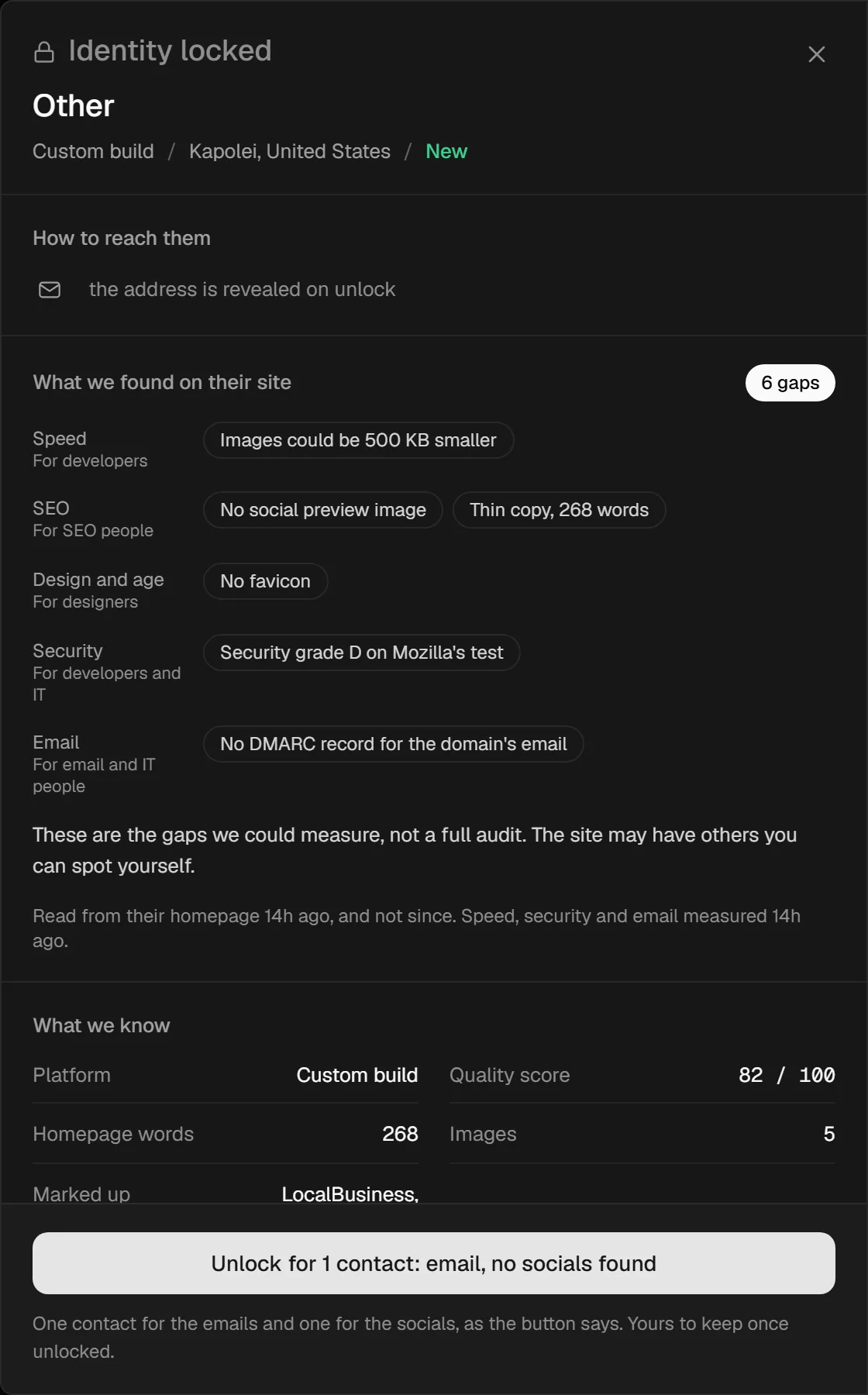
Write down what you saw, in the store's own terms: "your homepage has no description, so Google picks your menu text to show under your name." That sentence is your opening line.
Which email address actually reaches the person who runs the store?
You have a name and a store. Now you need an address that reaches that person and does not bounce.
Guessed against verified
A guessed email is one you made up from a pattern: firstname@theirstore.com, because that is how many businesses do it. A verified email is one the store's own mail server has said exists.
The difference matters more for new stores than for old companies. A store that opened last week often has no custom mailboxes yet. The owner may use a Gmail address, or only have hello@ set up, or have no mail on the domain at all. Guesses fail a lot here.
And bounces cost you more than one lost email. Mail providers watch how often your messages bounce. Send to enough addresses that do not exist and more of your mail lands in spam, including your mail to real clients.
Where to find the address
In the order to try them:
- The policy pages and contact page. Shopify stores often put a contact email in the refund policy, the terms or a /pages/contact page. If the owner typed it, it exists.
- The footer and the About page. Founders sometimes sign off with their own address.
- Social profiles. Instagram business profiles can show an email button. LinkedIn sometimes lists one.
- Newsletter emails. If you sign up for the store's newsletter, the sender address is real, though it may be a no-reply or a mail service's address rather than the owner's. Do not place an order just to get an email.
- A pattern guess. Last, and only if you check it.
If you find no address you can check, message the brand's Instagram account instead. A short note about one problem on their homepage often gets read before email does.
How to check an email by hand
You can ask the mail server directly. First look up the domain's MX records, the DNS entries that say which server accepts mail for it. Then a verification tool, or a manual SMTP session, asks that server whether a given mailbox exists, without sending anything.
Three answers come back:
- Exists. Send.
- Does not exist. Do not send. Try another address.
- Cannot tell. Some servers accept every address (called catch-all) or refuse to answer. You cannot confirm the mailbox. Prefer an address the owner published themselves.
If the domain has no MX records at all, it almost certainly does not receive mail. Find a published address elsewhere.
What to send once you have it
Keep it short and about their store. Something like this, with the brackets filled in:
Subject: [Store name]'s homepage in Google
Hi [first name],
I found your store this week. The candles look great, and the founder story on your About page is the kind of thing customers remember.
One thing I noticed: your homepage has no meta description, so when someone searches for [store name], Google picks your menu text to show under the name instead of a line about what you sell.
It is a ten-minute fix. I can write three options for you to choose from, free, so you can see how I work. Want me to send them?
Thanks, [Your name] [your website]
It names the person, points at one real problem, and asks for a small yes. Leave out the call request and the audit PDF. If you get no answer, one follow-up a few days later is fine. A third email is usually too many.
For more on the first message, see how to pitch a business that just launched.
Is there a faster way to find Shopify owners with working emails?
Every step above works, and for ten stores a week it is a fine routine. The trouble is the volume. To find a handful of real, new stores with an owner you can reach, you sort through a great many domains that are not stores, not new or not real.
To give you a sense of scale: on 20 November 2026 we checked 446,024 sites. In the 24 hours to the morning of 21 November, 992 new businesses made it into the feed. Most new sites are not real businesses worth emailing, which is why the sorting takes so long by hand.
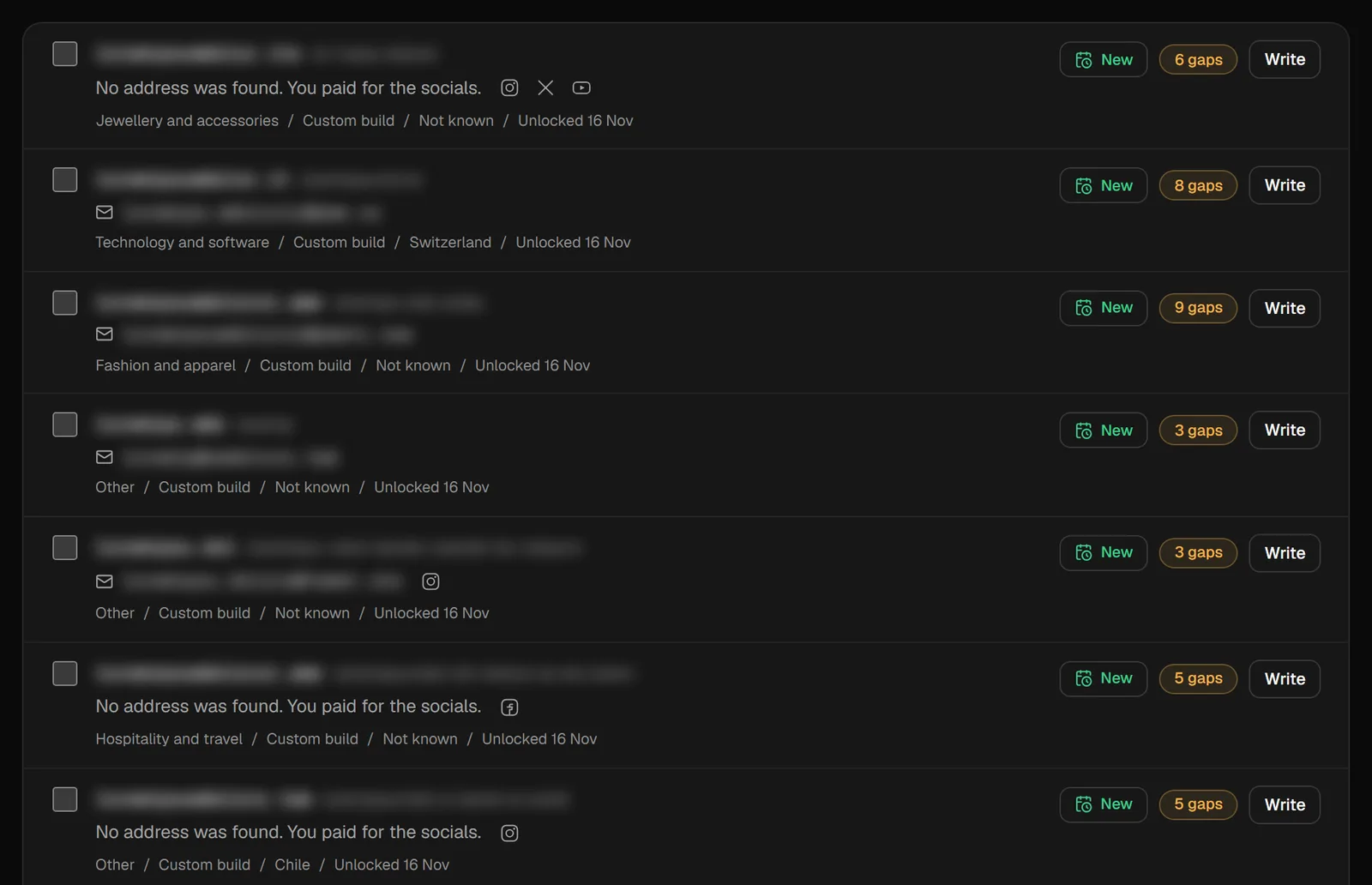
This is the job Vetted Leads does. It reads the certificate logs as new sites go live, checks each one is a real business and not a parked page or a placeholder, lists the gaps on its homepage, and checks the email with the business's own mail server. Only emails the server says exist reach the feed. Each new business appears in a feed the day its site goes live, Shopify stores included. You can find Shopify clients there, and the free plan gives you 3 contacts to try with no card.
Which five stores will you email today?
Pick one niche you know, candles or skincare or coffee. Find five Shopify stores in it that opened recently, using the certificate logs, social media or the owner communities. For each one, confirm it is real, find the owner's name, note one homepage gap you can fix, and check the email before you send. Write five short emails like the one above.
If you would rather skip the sorting, try Vetted Leads free with 3 contacts and see what a day of new stores with verified emails looks like.
Questions people ask
Can you look up who owns a Shopify store?
Not from Shopify itself. Shopify does not publish who runs a store. You find the owner from what the store and its owner publish: the About page, the policy pages, the footer, an Impressum on German and Austrian stores, the brand's Instagram or LinkedIn, and company registers such as Companies House when the terms name a company.
Is it legal to email a Shopify store owner you have never met?
It depends on where the store is based. In the US you can email a business if you are honest about who you are, include a postal address and honour opt-outs. The UK allows it for limited companies but treats sole traders like individuals, who need consent, and many new Shopify stores are sole traders. Germany and Canada generally need consent first (Canada has a narrow exception for addresses published for business enquiries). Check the rules for the store's country before you send.
How do you tell if a website runs on Shopify?
View the page source and search for cdn.shopify.com, or add /products.json to the store's address and see if a product list comes back. A DNS lookup helps too: on a custom domain connected to Shopify, the bare domain usually points to 23.227.38.65 and the www address is usually a CNAME to shops.myshopify.com.
Why does my email to a Shopify store bounce?
Usually because the address was guessed. firstname@ or info@ often does not exist on a store that opened last week, especially when the owner still uses a personal Gmail. Ask the store's mail server whether the address exists before you send, or use a list where every email was checked that way.
Where can I get Shopify store owners with verified emails?
Vetted Leads lists businesses and online stores the day their site goes live, and every email in the feed has been checked with the store's own mail server. You can try 3 contacts free, with no card, at [vettedleads.app](/).