
An agency prospecting list is a short sheet of businesses you have already checked, filled fresh every morning, with one reason to write to each. Ten to twenty names a day, each with a working email and a specific problem you can fix, will do more for a digital marketing agency than a ten thousand row export nobody opens.
The reason to do it daily is timing. A business in its first week online has not hired anyone for SEO, social or ads yet. By month three it usually has, or it has decided to do it all itself. A daily list puts your agency in front of those businesses while the decision is still open.
Why does an agency need a fresh list every day, not a big one every quarter?
Agencies tend to prospect in bursts. The pipeline dries up, someone spends a week building a giant list, the team sends to it for a fortnight, client work takes over again, and the list goes stale in a folder.
A daily list works better for a few reasons.
- It matches when businesses buy. New businesses make most of their marketing decisions in the first weeks: who builds the site, whether to run ads at launch, whether to pay someone for SEO. A list built last quarter reaches them after those choices are made.
- It never piles up. Twenty names a day is small enough to finish before lunch. A list of three thousand is a project, and projects get postponed.
- It keeps outbound going when the founder is busy. In most small agencies the founder sells and also delivers. You can hand a short daily routine to anyone on the team. You can't do that with a giant research project.
There is also plain decay. People change jobs, businesses close, inboxes get abandoned. Every week a list sits unused, more of its emails go dead, and each bounce makes your sending domain look worse to inbox providers.
Where can an agency find new businesses to add each morning?
No single source covers everything, and each misses something. These are the ones worth your morning, free ones first.
The certificate logs
When a website gets an HTTPS certificate, the certificate authority records it in public Certificate Transparency logs. Almost every new site gets a certificate within hours of going live, so the logs are the earliest public sign that a website exists. You can search them for free on crt.sh.
The limit is noise. The logs list every certificate: test servers, staging copies, mail servers, subdomains of big companies, and domains that will never host a real site. You need a way to filter them, which is most of the work.
Product Hunt and BetaList
Product Hunt lists products the day they launch, and BetaList lists early-stage startups, often before they launch. Both usually name the maker. They suit agencies that sell to software companies and startups. They are weak for local services and shops, which rarely post there.
Launch posts on social media
Owners announce launches. Search LinkedIn, X and Instagram for phrases like "just launched our website", "our store is live" or "we're open". You get a warm signal and the owner's name in one go. The limit is time: it is manual, and the search tools on these platforms are patchy.
Newly indexed pages on Google
Google's Tools menu lets you limit results to the past 24 hours or past week. Pair that with a niche and a phrase, such as "coming soon" dentist or "grand opening" bakery, and you will turn up pages Google has only just found. The date filter is rough, though: it shows when Google noticed a page, not when the business started, so you still have to check.
Company registries
Many countries publish new company registrations. The UK's Companies House search, for example, lets you filter by incorporation date. The limit is that a registered company may not have a website for months, and many never will. It is a good source for agencies that build websites, and a slow one for agencies selling SEO or ads to a site that already exists.
| Source | What it gives you | Time per day | Main limit |
|---|---|---|---|
| Certificate logs | The earliest sign a site exists | 30 to 60 minutes of filtering | Mostly noise without a filter |
| Product Hunt, BetaList | Software launches with maker names | 10 minutes | Few local businesses or shops |
| Social launch posts | Owner name plus a warm signal | 20 to 30 minutes | Manual, patchy search |
| Google past-24-hours search | Pages Google just found | 15 minutes | Index date, not launch date |
| Company registries | New companies, often before a site | 15 minutes | Many have no website yet |
Pick two sources that fit what your agency sells and stick with them for a month before you add more. Switching sources every week is how lists end up half built.
How should the sheet be laid out so anyone on the team can pick it up?
The sheet is what turns prospecting from one person's habit into something the agency does. Keep it to one tab and one row per business:
| Column | What goes in it |
|---|---|
| Date added | The morning you found it |
| Business and domain | Name and homepage URL |
| Source | Which of the sources above |
| First seen | The domain or certificate date you checked |
| Gap | The one problem you will mention |
| Service | Which of your services fixes it (SEO, social, ads, web) |
| Contact | Name and email, plus whether the email was verified |
| Owner | Who on the team sends to it |
| Status | Sent, follow up 1, follow up 2, replied, not a fit |
Two rules keep it working. First, a row is not finished until the Gap and Contact columns are filled. A name without a reason to write is not a prospect yet. Second, the Owner column means one person is answerable for each row, so two people never email the same business.
Is this a real business that just started, or a domain someone is sitting on?
Every source above lets through things you should not pitch: parked domains, abandoned side projects, old businesses on a new domain, and pages that are just a host's default screen. Five checks catch nearly all of them, and none takes more than a minute.
- Check the domain's age at the registry. ICANN's lookup tool shows the registration date for most domains. A domain registered last week is new. One registered in 2014 that only just got a site is a different conversation.
- Find the first certificate. Search the domain on crt.sh and scroll to the oldest entry. If the first certificate is from this month, the site most likely went live this month.
- Open the homepage on your phone. If it times out, shows an error, or is a "this domain is for sale" page, drop it.
- Make sure it is a business. Look for something being sold: products with prices, a service list, a booking page, a team, an address. A blog, a personal journal, a club or a council page is not a client for most agencies.
- Ask whether it is finished enough to pitch. A page that says "coming soon" with only an email box is better kept for a week. Put it in the sheet with a later date and check it again.
What you want left is a real business, live in the last few weeks, with something on the homepage you can point at.
What can your SEO, social and ads people each point to on a new homepage?
The gap is the line that makes your email worth reading. It has to be something the owner can check in ten seconds, and it should match a service you sell. These are the ones you can see from the homepage alone:
| Gap | What it costs the business | Who in the agency pitches it |
|---|---|---|
| No meta description | Google writes its own snippet from whatever text it finds, which often reads badly in results | SEO |
| No structured data | The site cannot qualify for rich results Google shows for things like products, reviews and events | SEO |
| No social preview image | Links shared on LinkedIn, Facebook or WhatsApp show a blank or random image | Social |
| No favicon | A blank icon in browser tabs and some search results, which looks unfinished | Web |
| Images with no alt text | Screen readers have nothing to read, and image search has less to go on | SEO, web |
| Old copyright year | Makes a new site look abandoned to anyone who scrolls down | Web |
| Pages loading over plain http | Browsers mark the page "Not secure" | Web |
| Slow to load on mobile | Visitors leave before the page appears, and paid clicks are wasted | Ads, web |
Google explains what structured data unlocks in its Search Central guide, which is worth linking in your own pitch if the owner asks why it matters.
Pick one gap per business, not five. A list of eight problems reads like an audit nobody asked for. One problem the owner can check in ten seconds shows that someone actually looked at their site.
A multi-service agency gets a bonus here: the Service column tells you who should send. If the gap is a missing social preview image, the social person writes. If it is slow mobile loading and the business is running ads, the ads person writes. Each email comes from someone who can talk about the fix in detail.
How does an agency avoid burning its sending domain on bad addresses?
The Contact column is where most lists fail. There are two kinds of address you can put there.
A guessed address is one you made up from a pattern: firstname@domain, info@domain, hello@domain. It might exist. It might not. On a brand new business there is often no pattern to copy yet.
A verified address is one the business's own mail server has said it will accept. That check happens before you send anything, so a bounce is much less likely.
The difference matters more for an agency than for a freelancer, because several people may send from the same domain. Too many bounces and inbox providers start sending all of your agency's mail, client work included, to spam.
To check an address by hand:
- Look up the domain's mail servers. On Windows,
nslookup -type=mx domain.com; on a Mac,dig mx domain.com. No mail server means no email, so skip it. - Run the address through a free email checker. Most free tools ask the mail server whether the mailbox exists without sending a message.
- Treat a "catch-all" result with care. Some servers say yes to every address, so the check proves nothing. Prefer an address you found printed on the site.
- Prefer a person's address over info@. If the site names the founder, try their name first, then fall back to the shared inbox.
Here is a first email built from one row of the sheet:
Subject: your link previews on LinkedIn
Hi Sara,
I saw your studio's website went live this month, congratulations. When I shared your homepage in a test post, the preview came up with no image, just the web address. That's the first thing people see when someone shares your class page.
It's a small fix (one image and two lines in the page header). I'm happy to send you the exact tags to add, or set it up for you. If this isn't useful, just say so and I won't write again.
Tom, social media lead at [your agency]
It shows the problem in the owner's terms and offers the fix before asking for anything. If they do not reply, our guide on following up with a new business lead covers what to send next.
Can the finding and checking happen before you open your laptop?
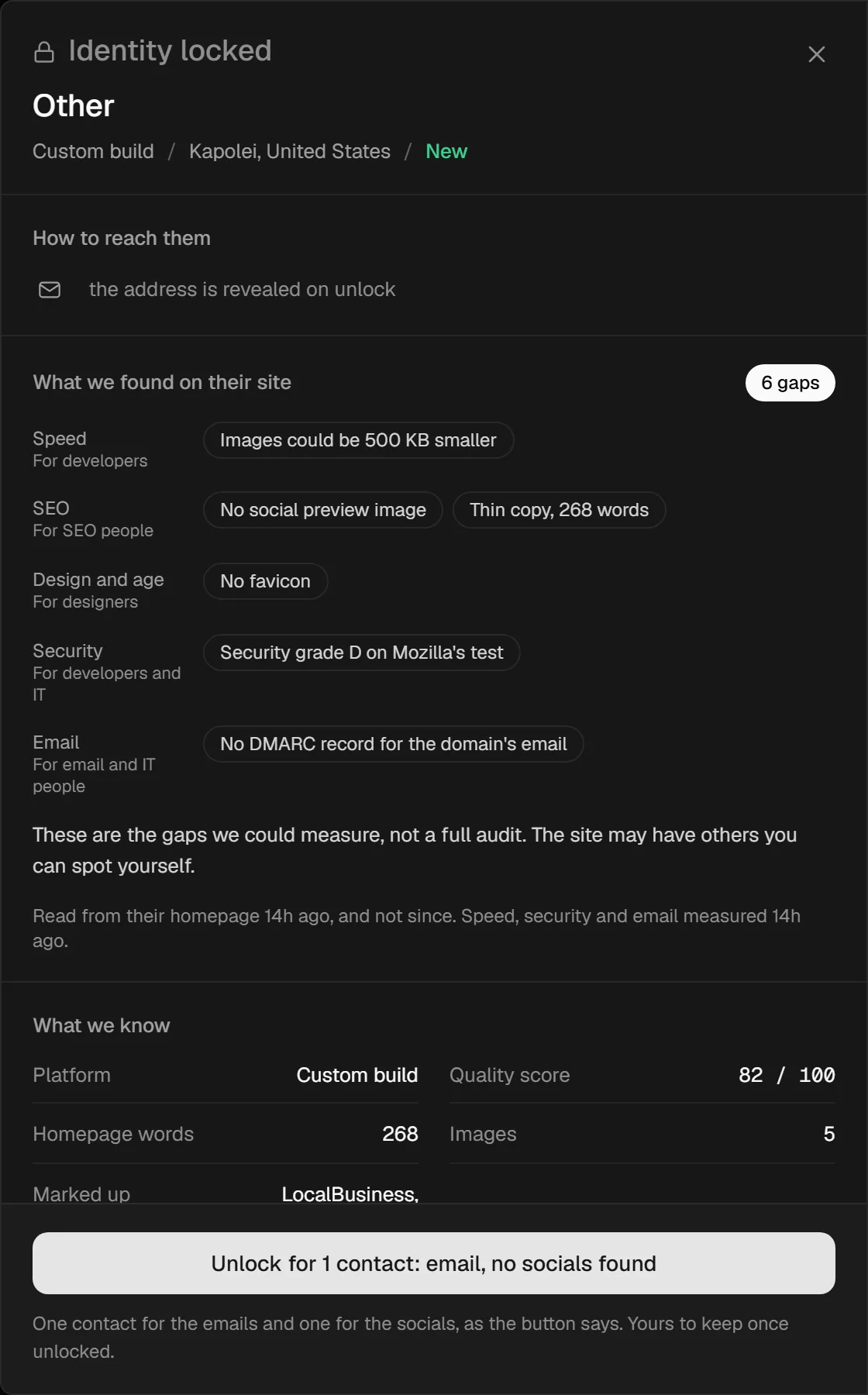
The slow part of all this is not writing emails. It is the filtering: going through certificates, ruling out parked domains, opening homepages and checking addresses. That is the part Vetted Leads does for you, and you can start on the free plan: the newest 50 leads each day and 3 contacts to try, no card.
It reads the certificate logs, checks that each new site is a real business, lists the homepage gaps from the table above, and checks the email with the business's own mail server. An email the server will not accept is never shown. To give a sense of the filtering: on 28 November 2026 we checked 424,839 sites, and 1,483 new businesses reached the feed in the 24 hours before this was written (as of 29 November 2026). The difference between what gets checked and what gets through is the sifting you would otherwise do by hand.
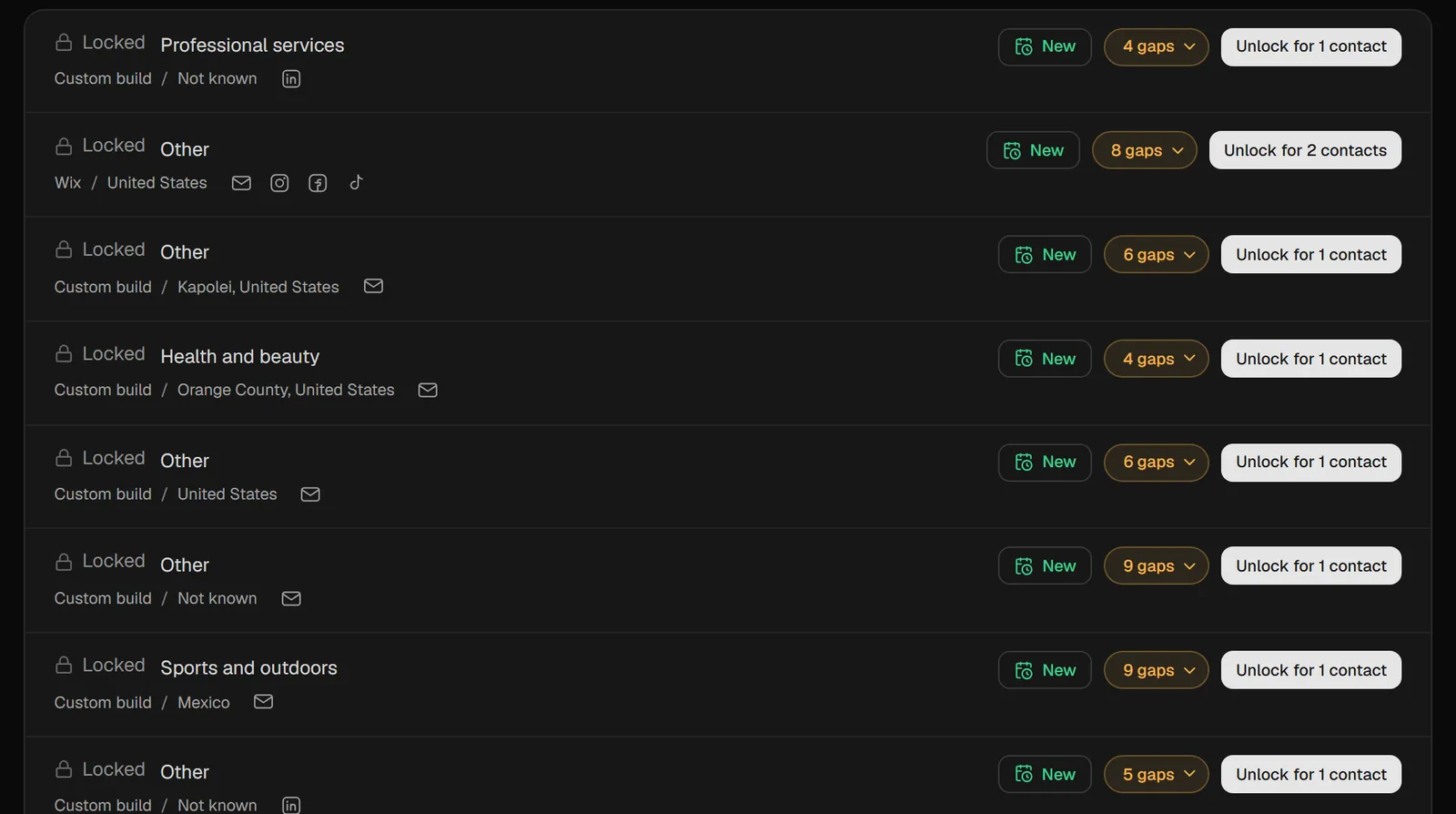
An agency can use the feed as the top of its sheet: pick the day's businesses, copy the gap into the Gap column, and spend the saved time on the emails.
Set up the sheet today, fill it tomorrow
Make the sheet with the columns above and give it one owner. Choose two sources that fit what your agency sells. Tomorrow morning, add ten businesses, run the five checks on each, write down one gap, and get an email you know will arrive. Send the ten before lunch.
If you would rather start with the filtering already done, try Vetted Leads free and use your 3 free contacts on the first three rows of the list.
Questions people ask
How many prospects should a small agency add to its list each day?
Add as many as you can actually write to with a personal note. For most small agencies that is 10 to 20 a day. Ten checked businesses with a real reason to write beat a hundred names you will never get to.
Should an agency buy a prospect list or build its own?
A bought list saves time on day one, but you still have to check every row: whether the business still trades, who runs it, and whether the email works. A list you build each morning starts fresher and you know why each name is on it. Many agencies do a bit of both.
Who in the agency should own the daily prospecting list?
Give one person the job of building it, even if several people send from it. Shared ownership means nobody fills the sheet on busy days. Rotate the role weekly if no one wants it for good.
Is it legal to cold email businesses from a prospecting list?
In many countries, emailing a business about a relevant service is allowed if you say who you are, include a way to opt out (and, in the US, a postal address), and stop when asked. The rules differ by country: Canada and Germany, for example, generally want consent first, and the UK treats sole traders like individuals, so check the rules where your prospects are before you send.
Can I try a ready-made daily list before I build my own?
Yes. [Vetted Leads](/) shows new businesses the day their site goes live, each checked as a real business, with its homepage gaps and a verified email or social links. You get 3 free contacts to try it, no card needed.